Push notifications in MGID! (2)
Hi, guys! We will share our posts about push notifications in this thread.
If you didn’t know, you can also create push campaigns at MGID 
Push notifications are short messages appearing in the user’s browser or a mobile device. They look like alerts on the top right-hand corner of the desktop and on a mobile screen. This allows you to generate high engagement and CTR. Besides, real-time alerts get people to take action more effectively than any other form of communication. According to studies, 51,42% of consumers find push notifications useful if they can choose to opt-in to websites or apps of their choice.

This is the best ways to receive quality traffic, as users сonsiously subscribe to a website’s notifications, what in turn, excludes the presence of bots. Then, with pushes, you also get an audience highly interested in your product or service.
However, take note that preferred for push notifications may vary from country to country and from industry to industry. Here the general list:
- eCommerce (3 PM - 4 PM, Wednesday),
- Media, Publishing & Blogging (9 AM - 10 AM, Tuesday),
- BFSI (3 PM - 5 PM, Tuesday),
- Software&SaaS (4 PM - 7 PM, Wednesday),
- Digital Marketing Agencies (2 PM - 7 PM, Tuesday).
You will be impressed, but CTR also varies from day to day. However, if we took the average CTR for all industries, it’s evident that it is the highest on Sunday and Monday, at 8.2%. Moreover, studies proved that CTR decreases and unsubscribes increase when frequency increases.
HOW TO CREATE EFFECTIVE PRELANDER?
DO’S
- Ensure your load time is fast, as users are not ready to wait more than a few seconds for push notification to be opened.
- Make all the navigation buttons, call-to-actions, service terms, and conditions clear, eye-catching and easy to use.
- Keep in mind that Push Notification has to be short with a clear call to action.
- Break down your landing page in several blocks including a brief description and preparative calls to action. Such strategic moves will make your visitor interested and low the bounce rate.
DON’TS
Avoid multiple redirects and vibration pop-ups as they tend to annoy users a lot.
MGID CREATIVE’S REQUIREMENTS


How to start Push Notifications campaign via our platform?
1. After logging into the MGID Dashboard push “Add campaign”;

2. Using the drop-down menu fill in each field;

3. In order to reach the audience from a particular region use the Targeting section of your dashboard; Mind that you can include the GEOs as well as exclude them from your targeting list.

4. Firstly, choose the GEO and confirm using the blue arrow;

5. After the GEOs are confirmed, your targeting options will be displayed in the “Selected” field;

6. You may target the users of a particular browser confirming this option the same way you chose the GEO;

7. If you consider targeting the users with a specific browser language, we strongly recommend consulting your manager. He/she will guide you through this;

8. To hit the users of a particular OS and its versions use the following function;
9. After all the steps are completed, push the “Confirm” button and you’ll see a wider interface where you can schedule the time your campaign is live, as well as the daily limits by budget, clicks or conversions.

If you have any questions, leave them below!
Sign up via this link and get a 25% bonus on top of your first $ 500 deposit!
Stay tuned!
MGID TEAM
PUSH NOTIFICATIONS. BEST PRACTICES
Push notifications are short messages appearing in the user’s browser or a mobile device. They look like alerts in the top right-hand corner of desktops and on mobile screens.
- Data proves that rich push notifications have 9,71% CTR, while simple push notifications reach only 6,88%. So, we suggest using banner images and various CTA buttons.
Attachment 21121
- Keep it short and clear. Remember that push notifications with 24 characters or fewer get the highest conversion rates;
- Make it timely. We suggest studying your consumers’ habits to see when they prefer to receive notifications and adapt the alert timing to them;
- Make it personal. People like to receive personalized messages as they create a feeling of uniqueness. Studies show that personalized push notifications generate higher conversion rates;
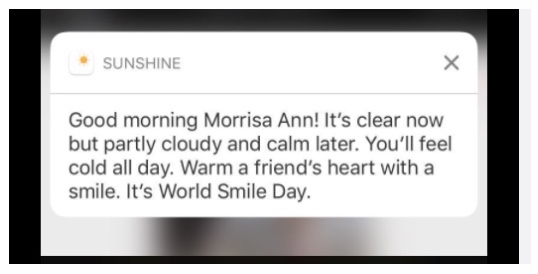
-Tell users what to do. Notification should point at the next step. Use a clear call to actions like “open the app’’, “buy a … “, “get a discount X”.
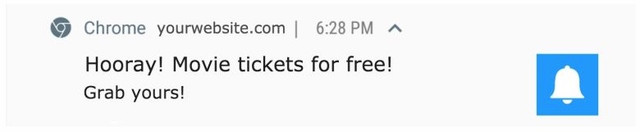
- Keep the browser/devices differences in mind. Browsers handle push notifications differently as do phone operating systems. For instance, only Android supports images in push notifications;
- Do not overload people with push notifications. Your task is to interest, not annoy;
- Use urgent phrasing: “2 days left! Furniture set at affordable price’’;
- Speak in the first person: “Feel lonely? Me too, let’s chat’’;
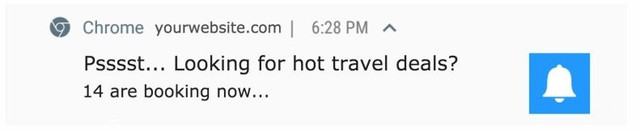
- Use flattery - offer exclusivity: “You’ve been selected! Come and get your bathing suit” or pique curiosity: “It’s not what you think! 10 minutes to confirm”
- Ask challenging questions: “Brave enough to start now? Tone muscles, lose weight”
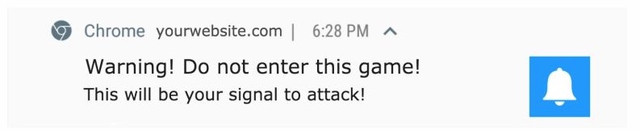
- Use a warning or reminder: “Warning! Do not enter this game! This will be your signal to attack”, “This Friday 7 PM - 9 PM. Salsa band class reminder!”
- Grab the user’s attention by using selective capitalization. Important words will help the user scan and read the notifications faster.
What captions do you use for push notifications? Share with us your experience below in comments!
Sign up via this link and get a 25% bonus on top of your first $ 500 deposit!
MGID team
Home > Paid Traffic Sources > Push Traffic