STM's Design Resources (lots of links) (53)
Since I can't contribute much in regards to affiliate marketing right now I figured I can share my design resources I've gathered throughout the last 7-8 years of designing for clients. Maybe this stuff is going to help you guys out a little bit in some way.
My font collection:
[EDITED]
These sites are useful ( and they work properly ) if you want to identify fonts:
http://www.identifont.com/
https://www.myfonts.com/WhatTheFont/
http://fontsinuse.com/ - Use this to see what the pros are using in a myriad of industries, you can get some really nice typeface ideas from here.
http://www.typegenius.com/ - Personal favorite, this shows you great typeface combos for headline + body text.
http://www.typewolf.com/ - Suggested by cmdeal, awesome typography in here, plus lots of free resources such as cheatsheets, fonts being used, guides and so on.
https://fount.artequalswork.com/ You can identify any font used on a site instantly - I find it to be super useful. Drag to your bookmarks bar, visit a site, click the bookmark and then click on some text to see the font/weight/style/size.
Suggested by wiifmdude:
http://font-combinator.com/ - Quick and simple font combo tester
http://typewonder.com/home - Awesome tool, test fonts on any site - should prove useful if you want to see how your LPs look with different fonts.
http://somadesign.ca/demos/better-google-fonts/ - Entire Google font families
http://www.typetoken.net/ - Small(ish) site on typography, lots of useful info, seems regularly updated
A bunch of design books:
Including a few of Smashing Magazine's books, if you'd like to learn more about UX, UI, mobile design and whatnot.
https://docs.google.com/file/d/0ByMp...JLaXo5c2c/edit 500mb archive
This one is a very good read, a must-read for any designer actually, but I know there are also curious marketing souls in here. In-depth book on grid systems in graphic design by Muller-Brockman, you'd be surprised how little design has changed since the 1950's:
https://drive.google.com/file/d/0ByM...ew?usp=sharing
Icons
iconfinder.com - This one I use the most for free icons.
http://bundledeal.net/ - Sometimes there are insane deals for icons here, 1-2k icons for $5 etc. Also various graphic resources.
http://retinaicon.com/ - High quality icons, but pricey. Some free ones in there too.
http://freebiesbug.com/psd-freebies/icons/ - High quality, free icons.
Icon link dump bookmarks from Dribbble:
https://dribbble.com/shots/1718718-F...cons&offset=24
https://dribbble.com/shots/775742-Freaking-Fantastic-Free-Flags?list=searches&tag=free_icons&offset=33
https://dribbble.com/shots/885207-44...icons&offset=5
https://dribbble.com/shots/826342-Ot...icons&offset=6
https://dribbble.com/shots/1091363-U...icons&offset=7
https://dribbble.com/shots/1663443-6...icons&offset=8
https://dribbble.com/shots/587469-Fr...icons&offset=3
https://dribbble.com/shots/1053792-F...cons&offset=13
https://dribbble.com/shots/1113492-F...cons&offset=15
Or just do a "free icons" search yourself on Dribbble, new stuff keeps popping up all the time.
https://www.market-me.fr/freebies/cl...le-line-icons/
https://www.market-me.fr/freebies/cl...pany-icon-set/
https://www.market-me.fr/freebies/cl...ate/dripicons/
https://www.market-me.fr/freebies/cl...ree-fat-icons/
http://fontello.com/ and http://fortawesome.github.io/Font-Awesome/ Are great for icon fonts. Since we all want speed when making campaigns and designs, you can just install these icon fonts, go to the sites, Ctrl+C the icon and Ctrl+V inside PS directly with the Type tool, from there you can either make the icon a shape, or just keep it as text.
Brushes
http://www.brusheezy.com/ I only use this.
You can also find lots of brushes on deviantArt.
Free Stock Photos
I use these primarily for web designs, but perhaps there may be of use when making campaigns.
https://stocksnap.io/
https://unsplash.com/
http://deathtothestockphoto.com/ Monthly packs via email
http://www.gratisography.com/
http://cupcake.nilssonlee.se/
https://picjumbo.com/
Free design resource sites
http://graphicburger.com/ - Lots of free HIGH quality stuff.
http://freebiesbug.com - OK quality
http://www.pixeden.com/ - HIGH quality
http://www.fribbble.com/ - HIGH quality, all of the free stuff you can find on Dribbble!
http://typostrate.com/category/resources/free-fonts/ - Some really cool free fonts in here.
https://sellfy.com/design-freebies/ - Freebies
http://freedesignresources.net/ - As the domain name implies.
http://graphichive.net/index.php - OK quality
https://ui8.net/category/freebies - HIGH quality, run by a small team of good designers.
https://dribbble.com/ - Of course some searching on dribbble always pops up interesting high quality graphics. Some of the best designers in the world are here.
https://www.freevectormaps.com/ - You can get a free .EPS vector map of pretty much anything.
http://psddd.co/ - This seems to be like an aggregator like AffBuzz but for Dribbble's free design resources - quicker than browsing dribbble by hand.
http://purtypixels.com/ - Free stuff by one designer
http://www.premiumpixels.com/ - More free stuff by another designer.
Various mockup templates ( Folder from my gDrive )
https://drive.google.com/folderview?...00&usp=sharing
http://www.cssauthor.com/free-mockup-templates-psd-designs/ - 500 mockup templates
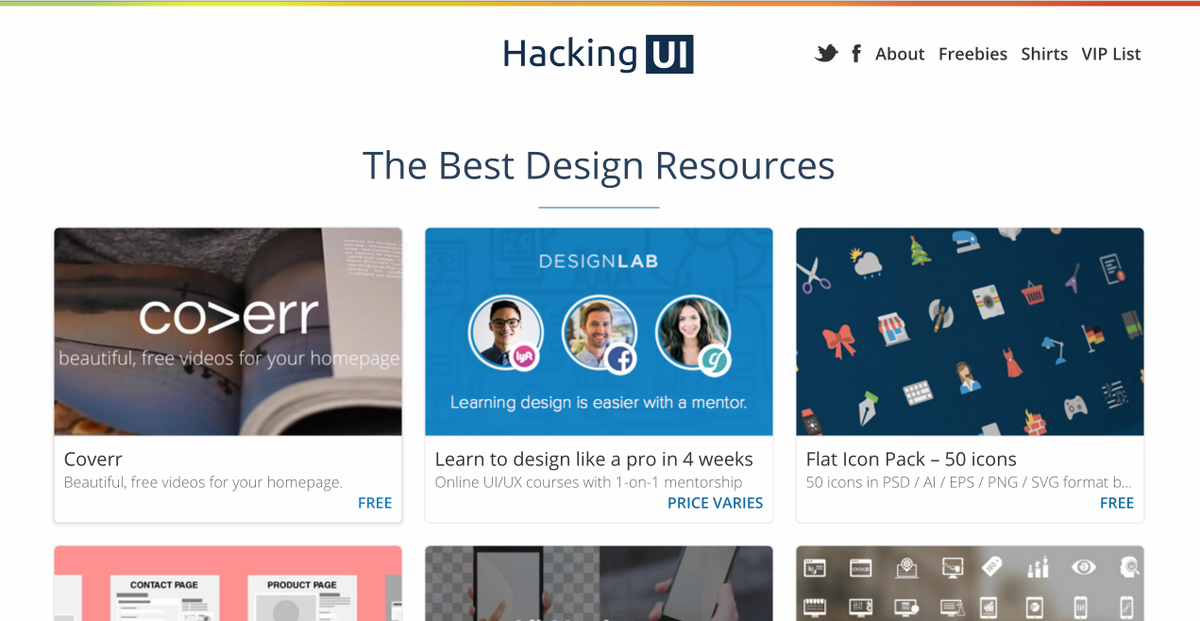
http://hackingui.com/best-design-resources/ - Suggested by cmdeal, tons of stuff in here!
Patterns
http://subtlepatterns.com/ - My personal favorite.
http://www.colourlovers.com/patterns - Tons in here, also useful for getting some color scheme ideas.
http://www.brusheezy.com/patterns - Pattern quality is "meh" on Brusheezy. There are a few gems here and there.
Design inspiration and misc stuff
http://designspiration.net/ - As the name suggests
http://macaw.co/ - EDIT: The app is a 'No Go', read my review at the bottom of the thread. This thing I completely forgot about - Kinda like Adobe Muse it's an html/css generator with a nice intuitive design interface just like an image editor. If the code this thing puts out is good then it might be perfect for people like me who don't like coding. Will be sure to check it out and report back.
http://www.uxpin.com/ - UX prototyping tool, there's a million of those out there and I honestly haven't tried this one.
http://webdesign.tutsplus.com/articl...ign--cms-19444 - Good article for newbie designers, if you don't want to spend time learning bullshit theories and whatnot, short and to the point.
http://www.webdesignerdepot.com/2015...s-august-2015/ - Found by cmdeal! - "This blog collects some great new resources for designers every month"
More misc sites below:
http://www.ucreative.com/freebies/
http://365psd.com/ - 1 free PSD per day, 5.5k free PSDs on various subjects.
https://sellfy.com/market/free-design/
http://www.instantshift.com/category/freebies/
http://www.onextrapixel.com/category/freebies/
http://pngimg.com/ - Just found this, you can get transparent PNG images here.
http://www.sumopaint.com/home/#app - Here's a free online tool with a very similar interface to Photoshop. Might be useful for some quick banners or edits if you don't have PS at any given time.
http://www.creativebloq.com/ - "From my previous days in web and graphic design, one which I found excellent for keeping on top of latest design trends and (more importantly) coolest new fonts and photoshop tools was Creative Bloq." EionF5
https://flexitive.com/ - "Oh, and if you really have some cash to drop and want to see some seriously cool shit for the future of HTML5 ad design, check out Flexitive. This is going to be a massive tool for big agency ad design for brands, and possibly someone can implement it as a tool in Performance Marketing world in an innovative way." EionF5
https://beta2.createer.com/ - No final verdict on this one yet. Do check
http://www.typography.com/email/2010_03/index_tw.htm - Got this from my stumbleupon newsletter. Very useful read if you're curious on how to combine multiple typefaces. This is essentially the next level if you're still a newbie designer - the golden unwritten rule for not messing things up when it comes to typography is to never pick more than 2 different typefaces. Combining more than that can be very difficult, and this article, although short, provides some insight. (It's written in, imo, a very annoying "poetic" voice but it's worth a check - "a palette with dignity" - ugh!)
www.goodui.org - A great read on what you can split test, backed up by evidence! Suggested by greenzone
https://about.canva.com/ - Cool tool if you need some quick fancy design snippets made, might be useful for social media stuff.
https://infogr.am/ - You can make infographics with this thing.
https://www.smashingmagazine.com/201...web-designers/ - Some pretty cool tools for designers. I even have my eyes set on
Ditto, a tool which allows you to use variables inside PS, should be pretty valuable.
https://compressor.io/ - An alternative to Kraken, but probably not as good. I noticed the image quality decrease to be noticeable for some file extensions.
https://coolors.co/ - Easy lovely colour schemes.
https://www.fullstory.com/ - Albeit not a design tool necessarily, this actually looks very interesting: "FullStory lets your company easily record, replay, search, and analyze each user's actual experience with your website."
https://www.gravit.io - A free online design tool in case you ever run out of Photoshop, it's actually pretty good. Approved!
https://thenounproject.com/ - Tons of symbols and icons.
https://www.lingoapp.com/ - Made by the above guys, lets you organize all of your images or visual assets(as they put it) by drag n drop from any app.
http://www.easel.ly/ - Make infographics easily, based on tons of templates.
https://dribbble.com/shots/724807-10...Dribbble-Ready - Fancy, blurry backgrounds you can test on your landers.
https://dribbble.com/shots/1774095-F...AL-BACKGROUNDS - Fancy, geometric backgrounds.
https://picjumbo.com/ - "Totally free photos" - they seem to be pretty high quality too.
http://uigradients.com/#Predawn and http://colinkeany.com/blend/ - Awesome-amazing gradient sites, in case you ever struggle picking or blending in fancy gradients. These things even generate the CSS needed too. Found by Zeno.
http://javier.xyz/visual-center/ - Finding the visual center of your image is what this tool does so very accurately. Might be useful in some cases. (more tools can be found in the footer of that site)
http://uberplugins.cc/ - Great extensions for Photoshop, highly recommended!
https://pixabay.com/ - 780,000 FREE 100% Legal No Royalty Photos, Images and Vectors for your ADS! Found by @cmdeal
https://www.pexels.com/ - More free photos recommended by @matuloo
https://affinity.serif.com/en-gb/ - This is as close to Photoshop as you can get without having to pay a monthly fee. It's not as robust as PS, but it's almost there. I'm honestly very impressed with this tool, approved and recommended!
Nice collection bud!
Though I removed the shared fonts... let's try to avoid piracy of licensed software/other stuff on STM otherwise it sets a precedent (most people who want these things will go find them anyway).
Thank you for sharing!
any golden tips on which font we should start testing first? which are the commonly proven ones? what are the characteristics of the icons you usually use? we still will have to end up testing quite a fair bit, but a good starting point can save alot of $$$ and time
 Originally Posted by zeno

 , won't happen again. There's no doubt people will be able to find this stuff out there. Originally Posted by getoutsg
Originally Posted by xavierfok
, won't happen again. There's no doubt people will be able to find this stuff out there. Originally Posted by getoutsg
Originally Posted by xavierfok
Of course as we all know ugly fonts and graphics sometimes perform amazingly, so perhaps from time to time you may want to test out that Comic Sans along with Papyrus - your sins will be forgiven as this is all about performance, not grumpy designers
 .
.Typography is arguably one of the hardest parts of design to master. You can use tools like http://fontsinuse.com/ to see what stuff is being used by the pros and go from there.
http://www.typegenius.com/ - One of my favorites, to give you ideas on safe/proper headline + body text typeface combos. ( will add these to the thread )
With icons I don't have any set of rules when picking them, I pick whatever catches my eyes and I think will fit the design, which comes from experience primarily.
What I test usually is standard greyscale icons where I adjust the colors like this vs icons with depth like this, this and this
What I've noticed from my campaigns is, the prettier you make things the better the traffic responds and converts, things just seem more trustworthy, clear and concise, and sometimes vice versa - the ugliest performs the best. I've read some research on why ugly stuff performs well and the conclusion I come to is that usually when you use bright red/blue/yellow colors etc. with ugly typefaces for example, it attracts the eye so much that it further increases the curiosity factor. It's the same thing when visitors see something well designed, but with added trust.
When picking icons for example, take a closer look at the icon and make sure it doesn't have any jagged edges, all the edges should look sharp and smooth at the same time, without any pixel leaks. Same thing for the icon effects - avoid heavy less-opaque drop shadows or hard, sharp unblended gloss like this. Most of the time, the more subtle the effects are, the better the icon quality is. Also make sure, whichever icon you pick, choose either well contrasting colors or try to blend them in with the design.
@shishev thanks. Lot's to look through! Would you say you have a favorite out of your list of Free design resource sites?
Originally Posted by shishev
Steve Jobs found a lot of inspiration in beautiful typography, and I can understand why. Beautiful typography truly can be an art form.
Originally Posted by affiliaxehannah
Originally Posted by cmdeal
I completely agree about typography being an art form - it's a huuge field if you go in exploring, a lot of people have dedicated their entire lives to it.
If anybody seems interested in this stuff, I highly recommend you watch 'Helvetica' ( http://www.hustwit.com/category/helvetica/ ), the movie. It covers the history and usage of the Helvetica typeface and typography and design in general.
Thank you for your feedback @shishev! Any resources that are your favorite for the text itself? Meaning the content in this case.
Originally Posted by affiliaxehannah
Lots of good stuff here!
Good collection, I LIKE typography.
Unfortunately I'm not very good at it and in the AM space you'll have (most of the time) to use "Condensed" fonts (because of small banner size, 20% text rules, etc...).
So League Gothic is my friend, lol
Some other tools I like :
http://font-combinator.com/
http://typewonder.com/home
http://somadesign.ca/demos/better-google-fonts/
And a secret UTF8 library ;-)
http://www.utf8icons.com/subsets/mis...us-symbols/100
Originally Posted by wiifmdude
TypeWonder seems freaking awesome, I've been looking for something like this for quite a while now!
Edit:
I just found some more useful stuff too:
https://www.freevectormaps.com/ - You can get a free .EPS vector map of pretty much anything.
http://psddd.co/ - This seems to be like an aggregator like AffBuzz but for Dribbble's free design resources.
http://purtypixels.com/ - Free stuff by one designer
http://www.premiumpixels.com/ - More free stuff by another designer.
@shishev points to you! Many kudos. Great insights!
Way too busy to deal with marketing stuff atm, but figured I could keep this thread updated at least.
I've got a few thousand bookmarks in my Chrome so I did a "design" search and found a bunch of somewhat useful stuff:
http://www.cssauthor.com/free-mockup...s-psd-designs/ - 500 mockup templates
http://designspiration.net/ - As the name suggests
http://macaw.co/ - This thing I completely forgot about - Kinda like Adobe Muse it's an html/css generator with a nice intuitive design interface just like an image editor. If the code this thing puts out is good then it might be perfect for people like me who don't like coding. Will be sure to check it out and report back.
http://www.uxpin.com/ - UX prototyping tool, there's a million of those out there and I honestly haven't tried this one.
http://webdesign.tutsplus.com/articl...ign--cms-19444 - Good article for newbie designers, if you don't want to spend time learning bullshit theories and whatnot, short and to the point.
http://www.csswinner.com/ - Similar to awwwards, but not that popular I guess.
Awesome stuff!
I checked out http://macaw.co/ and it was quite disappointing, even though I tried being optimistic about it initially. The UX of the whole app was pretty bad and lacked a ton of features that we all consider to be second nature when it comes to almost all applications we use. Without going into any details - it's not worth it, at least not in its current state. If you want to build some basic sites or pages, sure it may work out for you, but otherwise don't bother. Some good points about the app are that you can choose the CSS position type ( absolute, fixed, relative etc. ) of elements, which was one of the selling points for me, and that it has some nice grid generators.
It's also no good for mobile, you can't set max and min-width etc. breakpoints. Embedding media isn't easy too.
Although I do have some HTML/CSS coding skills, albeit extremely rusty because I absolutely hate coding more than anything, the CSS generated by the app seemed OK-ish in my eyes...for an app. A pro coder will probably say it's horrible though.
I wonder if humans will ever be replaced by programs when it comes to writing proper HTML/CSS? Bottom line is, I am yet to see a proper WYSIWYG application that generates decent code and works well/has all the features you need. If or when that day comes I'd be one happy designer.
Just found this: https://fount.artequalswork.com/ You can identify any font used on a site instantly - I find it to be super useful. Drag to your bookmarks bar, visit a site, click the bookmark and then click on some text to see the font/weight/style/size.
This blog collects some great new resources for designers every month
http://www.webdesignerdepot.com/2015...s-august-2015/

^ Yes, totally yes! Wow these guys have grown so much over the past few years. Completely forgotten, but are now in my bookmarks again. The August collection seems crazy, already found lots of new stuff. I'll definitely have another look these days and add whatever useful things I can find from there to the thread.
EDIT: Added webdesignerdepot to main thread.
More freebie sites, some of these have a lot of resources, adding them to the main thread:
http://www.ucreative.com/freebies/
http://365psd.com/ - 1 free PSD per day, 5.5k free PSDs on various subjects.
https://sellfy.com/market/free-design/
http://www.instantshift.com/category/freebies/
http://www.onextrapixel.com/category/freebies/
I recently found a small site which contains some awesome typographical findings, gonna add it to the main thread:
http://www.typetoken.net/ - Small(ish) site on typography, lots of useful info, seems regularly updated
I managed to discover a few font gems like http://www.fsmillbank.com and I also noticed a lot of new stuff on http://www.fontsmith.com via this small site above.
Also found this on typetoken: http://www.artofthetitle.com/titles/
http://pngimg.com/ - Just found this, you can get transparent PNG images here.
http://www.sumopaint.com/home/#app - Here's a free online tool with a very similar interface to Photoshop. Might be useful for some quick banners or edits if you don't have PS at any given time.
Just saw an ad on google for this thing: https://beta2.createer.com/ , seems interesting on first glance I'll check it out and report back.
Great resources here man, thanks!
Hey Guys, great list with some brilliant resources here.
From my previous days in web and graphic design, one which I found excellent for keeping on top of latest design trends and (more importantly) coolest new fonts and photoshop tools was Creative Bloq.
I hope someone finds this of use
Oh, and if you really have some cash to drop and want to see some seriously cool shit for the future of HTML5 ad design, check out Flexitive. This is going to be a massive tool for big agency ad design for brands, and possibly someone can implement it as a tool in Performance Marketing world in an innovative way.
Adding these to the main thread Eoin, great stuff!
Edit: Renamed thread to "STM's design resources", people have added stuff and maybe we can all keep stacking links.
Dribble is a goldmine!
This looks interesting: https://thegrid.io/
"AI WEBSITES THAT DESIGN THEMSELVES" - A rather bold statement, but I'll probably wait until they launch the full version to test it out. Trailer/preview seems enticing.
http://www.typography.com/email/2010_03/index_tw.htm - Got this from my stumbleupon newsletter. Very useful read if you're curious on how to combine multiple typefaces. This is essentially the next level if you're still a newbie designer - the golden unwritten rule for not messing things up when it comes to typography is to never pick more than 2 different typefaces. Combining more than that can be very difficult, and this article, although short, provides some insight. (It's written in, imo, a very annoying "poetic" voice but it's worth a check - "a palette with dignity" - ugh!)
http://hackingui.com/best-design-resources/
Awesome collection
https://about.canva.com/ - Cool tool if you need some quick fancy design snippets made, might be useful for social media stuff.
https://infogr.am/ - You can make infographics with this thing.
https://www.smashingmagazine.com/201...web-designers/ - Some pretty cool design tools in here. I even have my eyes set on Ditto, a tool which allows you to use variables inside PS, should be pretty valuable.
Originally Posted by shishev
https://compressor.io/ - An alternative to Kraken, but probably not as good. I noticed the image quality decrease to be noticeable for some file extensions.
https://coolors.co/ - Easy lovely colour schemes.
https://www.fullstory.com/ - Albeit not a design tool necessarily, this actually looks very interesting: "FullStory lets your company easily record, replay, search, and analyze each user's actual experience with your website."
I'm gonna give the free trial a shot and report back with details. Might come in handy if you want to see the actual interactions with your landers/sites.
https://www.gravit.io - A free online design tool in case you ever run out of Photoshop, it's actually pretty good. Approved!

https://dreambundles.com/blogs/free-...e-dream-bundle
20 free fonts from Dreambundles! (though they will ask you for your email + name in exchange, as expected)
https://thenounproject.com/ - Tons of symbols and icons.
https://www.lingoapp.com/ - Made by the above guys, lets you organize all of your images or visual assets(as they put it) by drag n drop from any app. I'm definitely downloading this.
Following up on that lingoapp, having used it for a while now it seems quite awesome. You can even organize your banners with it as you can create groups and subgroups for anything. Really handy tool!
http://www.easel.ly/ - Make infographics easily, based on tons of templates.
Here's an entire batch of free stuff I recently found:
Icons:
https://www.market-me.fr/freebies/cl...le-line-icons/
https://www.market-me.fr/freebies/cl...pany-icon-set/
https://www.market-me.fr/freebies/cl...ate/dripicons/
https://www.market-me.fr/freebies/cl...ree-fat-icons/
Backgrounds:
https://dribbble.com/shots/724807-10...Dribbble-Ready - Fancy, blurry backgrounds you can test on your landers.
https://dribbble.com/shots/1774095-F...AL-BACKGROUNDS - Fancy, geometric backgrounds.
https://picjumbo.com/ - "Totally free photos", may have included this already but will double check the thread and update.
Awesome-amazing gradient sites, in case you ever struggle picking or blending in fancy gradients. These things even generate the CSS needed too:
http://uigradients.com/#Predawn
http://colinkeany.com/blend/
Found by Zeno.
http://javier.xyz/visual-center/ - Not that it's very hard to find the visual center of your image by eye, but this tool does it very accurately. Might be useful in some cases. (more tools can be found in the footer of that site)
http://typostrate.com/category/resources/free-fonts/ - Some really cool free fonts in here.
Some good free design resources in here:
https://sellfy.com/design-freebies/
This one was ranked #1 for "free design resources", and it does have some great ones:
http://freedesignresources.net/
http://uberplugins.cc/ - Great extensions for Photoshop, highly recommended!
http://www.fribbble.com/ - Almost all of the available freebies from Dribbble (professional, high quality work). It's a handy little site that can save you lots of time.
https://affinity.serif.com/en-gb/ - This is as close to Photoshop as you can get without having to pay a monthly fee. It's not as robust as PS, but it's almost there. I'm honestly very impressed with this tool, approved and recommended!
I find myself referring to this thread from time to time - so I thought why not bump it so it can help members that have joined since 2017?
Enjoy!
Amy
Home > Technical & Creative Skills > Design - Imagery, Banners & Landers