How to find which ad network the app uses? (7)
Hi guys,
I recently bought my first Android phone (sorry iPhone, I still love you - Sony Xperia Z3 Compact if anyone want to ask), mainly for testing my LPs on a real device and of course some in-app spying (for me it's more comfortable than desktop emulation).
I have few questions regarding putting together some pieces of information and maybe some of you already solved these:
1) Let's say I have a selected app that I know is widely used in particular GEO and have ads inside. How I can find which ad network it does use?
I found Ad-Network Scanner & Detector app that scans all the apps on your phone and return some information, but it hasn't been updated for almost 2 years so I believe it is not detecting everything.
2) Is there a way to find out what URLs are going to be open in the background after I click on an ad? (you probably know why I'm asking this) I find some kind of connection monitor apps, but none of those that I found can decipher/return an actual URL.
3) Let's say there is a mobile ad network where you want to advertise. You want to see example apps using the network before. How do you find them? I tried to ask one network about example apps and they simple not gave me that information because of "privacy" issues lol.
You have a few options, but the 2 that I use are:
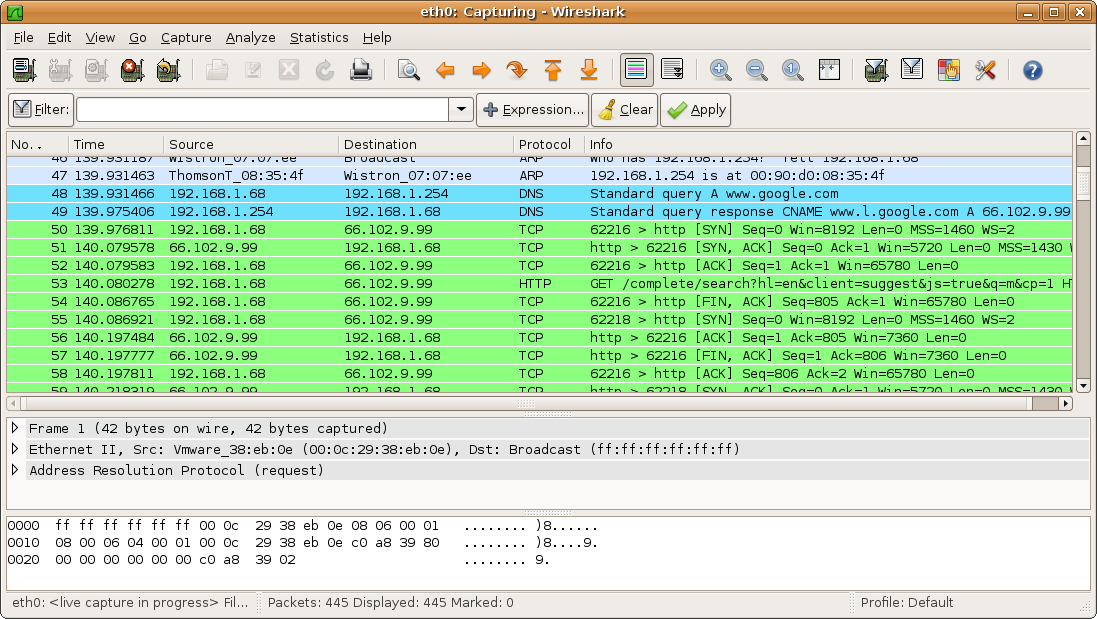
tPacketCapture is an Android app that captures network packets. Analyze the logs to find domain names used by ad networks.
OR
Debookee reads HTTP headers in real-time from the traffic on your Android or iOS phone. Unfortunately it's an OSX application, so no Windows support.
You kind of have to do some detective work when analyzing the header data, and when an ad server domain is unfamiliar, a simple Google search or Domain Dossier search (make sure "DNS records" is checked) will reveal your gold nuggets. 
Holy shit! That will be a busy day haha - Debookee looks awesome!  (and I'm luckily a Mac user)
 Originally Posted by dotcom

That is a hell of a share. I really did not know it was that easy to sniff out what other devices on your network were doing so easily!
I always thought the only way to do such a thing would be to use your laptop as a kind of proxy and connect your phone through that rather than the usual router.
What this program does it actually pretty incredible. Open this up in a coffee shop or co-work space and you'd get a run-down of what sites people are on!? That's pretty farkin' scary!
Originally Posted by prof

 Originally Posted by craigm
But we not want to spy on other people connected to the same wifi point in café's right?
What I like about the above mentioned mac app is the clean presentation of the important data.
Anyway tools like these makes me really use secured VPN connections.
BTW there was a great (and pretty scary) article about the topic a while ago at medium.com: https://medium.com/matter/heres-why-...d-dd5b8dcb55e6
Originally Posted by erikgyepes
Don't get me wrong. It's not become my intention to ditch AM in favour of sitting in cafes all day watching HTTP header logs.... I was just literally a little shocked and how easy it it to seriously invade privacy.
I've never looked into these kind of data sniffers but I always imagined they'd be a little bit more involved then simply running an app on the network you're sitting on. It seems crazy that that's all it takes.
Absolutely this says if you're doing work in public and not sitting behind a VPN you definitely should be.
Personally I'm behind VPN 95% of the time.
The other 5% I'm torrenting as in Thailand I imagine it is safer to torrent with a naked IP rather than go through a US owned VPN company which is registered to a UK address.
Home > Paid Traffic Sources > Mobile